
Stats
The Stats tab is used to confirm that party/character data from the selected client is being read by Control Center.
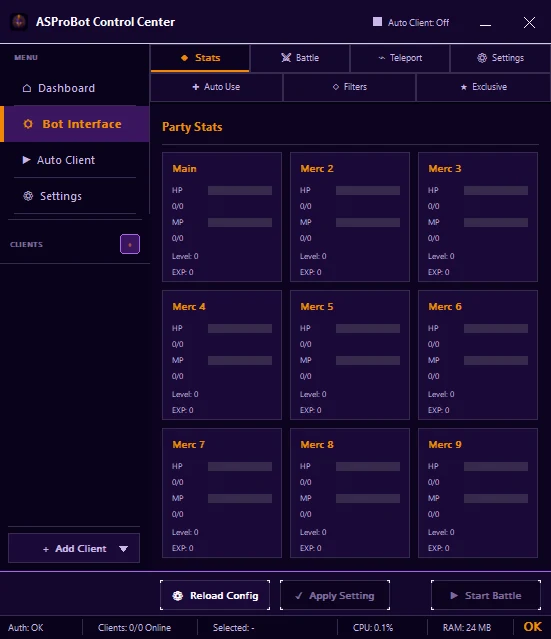
How to use it
- Select a client under Clients.
- Open Bot Interface → Stats.
- Check whether party data starts appearing.
- When the data is available, continue to the tab you want to configure.
If values are still 0
A value of 0 does not always mean an error, especially when the client has not provided the required data yet.
If the client is active but the values do not change:
- make sure the correct client is selected,
- check the number of online clients in the status bar,
- use Reload Config when needed,
- review Activity & Issues if Control Center shows a problem.
If you use ASProBot Launcher
The classic Launcher Stats interface looks different from Control Center.